Multi-Property Portfolio Management for Canadian Landlords
Manage multiple properties and units from a single, powerful dashboard. Track amenities, documents, and financial performance across your entire Canadian rental portfolio.
Key Benefits
See how this feature helps Canadian landlords save time and stay compliant
Scalable Portfolio Management
Manage your growing portfolio from a single duplex to dozens of buildings across multiple provinces. Tenant Buddy scales with your needs as your rental business expands.
Real-Time Portfolio Analytics
View occupancy rates, rental income, and expense trends across all properties. Identify your best and worst performing units to make data-driven investment decisions.
Multi-Province Support
Manage properties in Ontario, BC, Alberta, and any other Canadian province from one platform. Track province-specific requirements, lease terms, and compliance documents effortlessly.
Complete Document Management
Store property documents, inspection reports, insurance certificates, and permits in one secure location. Organize by property, access from anywhere, and never lose important paperwork again.
Automated Vacancy Tracking
Track vacant units, calculate days vacant, and monitor lost rental income. Set target occupancy rates and receive alerts when units sit empty longer than expected.
Property-Level Financials
View income, expenses, and profitability for each property separately or combined. Generate property-specific financial statements for loan applications or tax reporting to CRA.
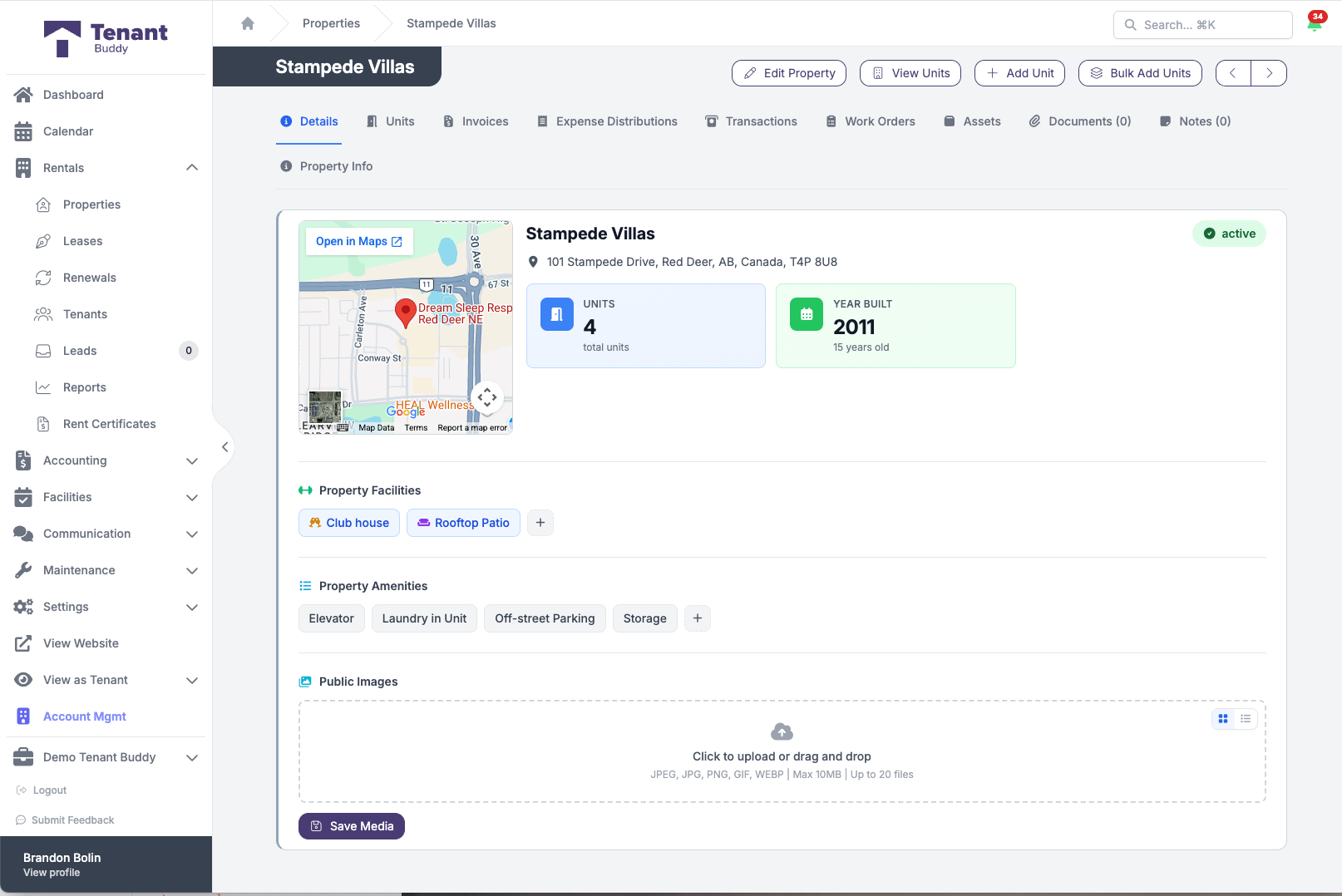
A property profile in Tenant Buddy with location, facilities, and amenities
Setting Up Your Property Portfolio
Get started in minutes with our simple, intuitive process
Add Your Properties
Enter basic property information including address, property type, acquisition date, and property tax details. Upload property photos and important documents like insurance certificates and inspection reports.
Define Units & Amenities
Create individual units for each rental space. Specify bedrooms, bathrooms, square footage, and unit-specific amenities like parking, storage, or appliances. Set rental rates and availability for each unit.
Track Financial Performance
All rent payments, expenses, and transactions are automatically organized by property. View real-time profit and loss for each building, compare performance across your portfolio, and identify opportunities to increase revenue or reduce costs.
Generate Portfolio Reports
Create rent roll reports showing all properties and tenants, occupancy reports tracking vacancy rates, and financial summaries for your accountant. Filter by property, date range, or status with just a few clicks.
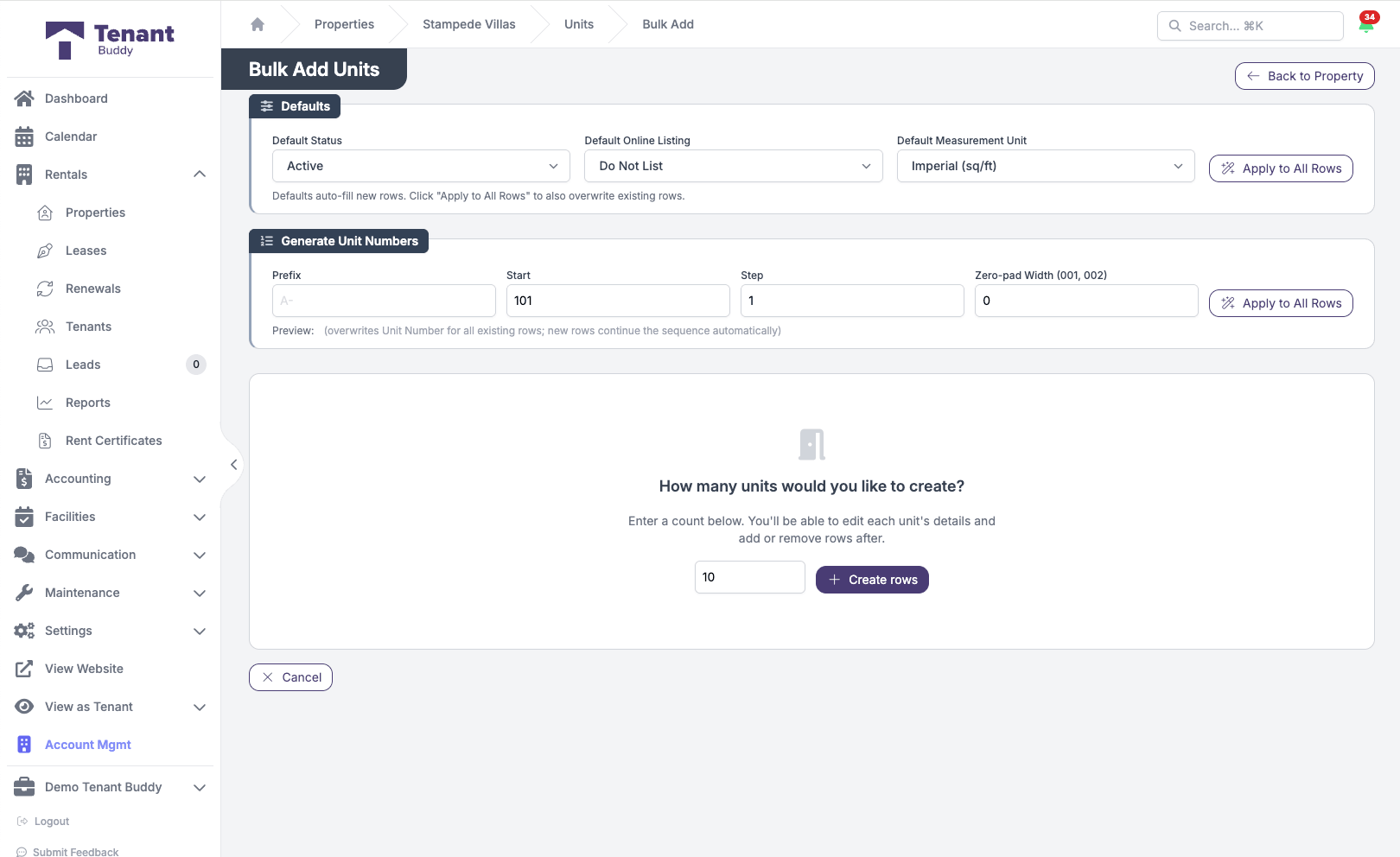
Add 10 units in one form, not 10 forms
Bulk add units with auto-numbering, default settings, and one-click row generation
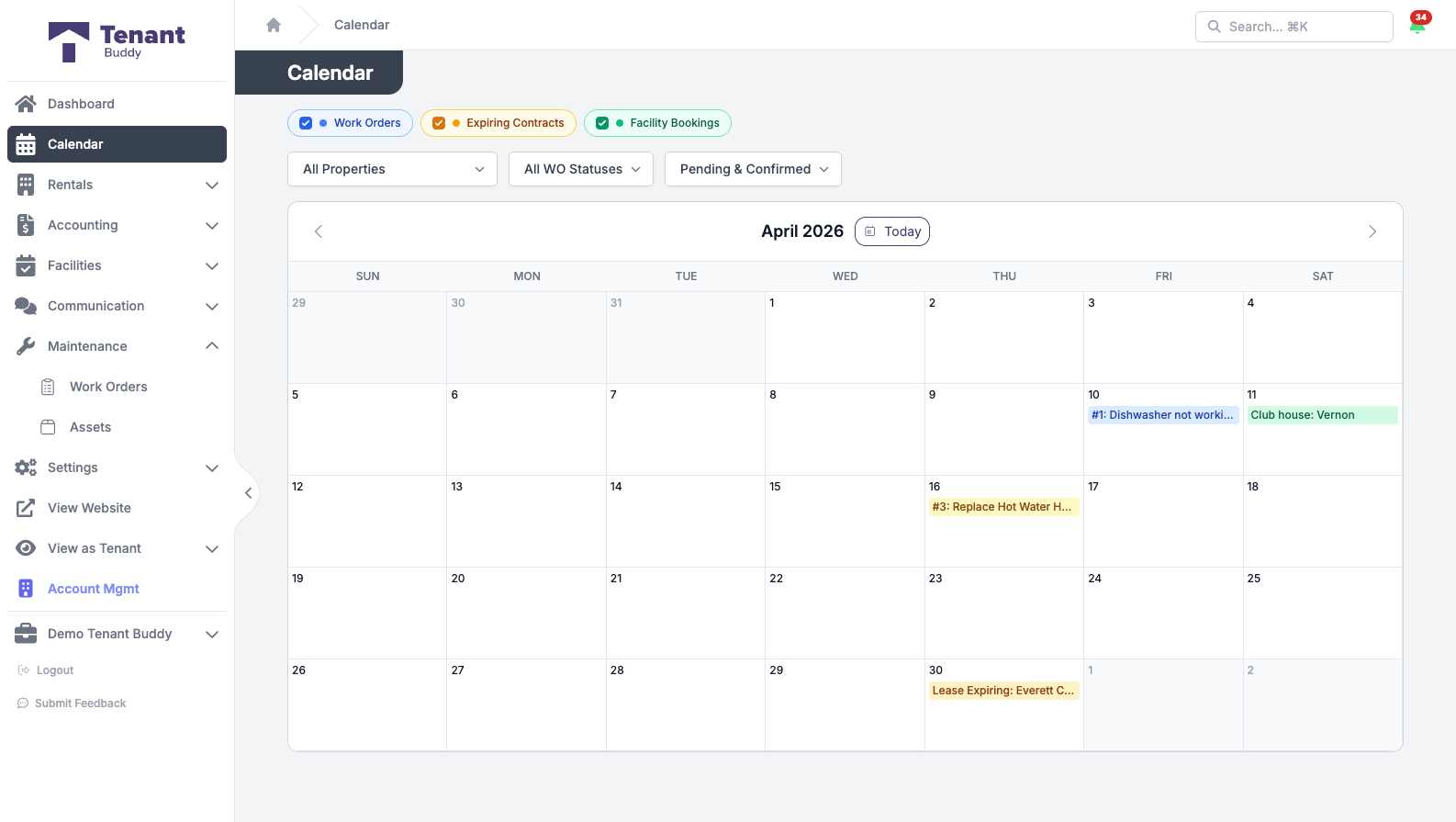
One Calendar for Your Whole Portfolio
A single month-view calendar surfaces what is happening across every property: scheduled work orders, lease expirations coming up, and amenity bookings.
Work Orders
Scheduled work orders show on their target date, color-coded by priority. Click through to the work order detail.
Lease Expirations
Upcoming lease end dates land on the calendar so renewal conversations start in time, not at the last minute.
Facility Bookings
Tenant bookings for amenities (party room, gym, guest suite) appear on their booking date, filterable by status.
Filter by Property and Event Type
Drill into a single property or toggle event types on and off. Your filter preferences persist between visits so the calendar always opens the way you like it. Today the calendar is a month view; week and day views are on the roadmap.
Perfect For
Independent landlords, small property operators, and multi-family managers all run on the same platform. Same features, priced to your portfolio.
Independent Landlords
Duplex and triplex owners, first-time landlords, and accidental landlords. Stay organized without enterprise complexity, generate CRA-ready reports, replace your spreadsheets.
- Per-property financials
- T776 reporting for tax time
- Tenant portal & maintenance requests
Small Property Operators
Owners and operators with a few buildings or a small multi-family portfolio. Real general ledger accounting, vendor coordination, and recurring preventive maintenance without hiring additional staff.
- Multi-property dashboard & calendar
- Vendor work orders & compliance
- AI receipt scanning at scale
Multi-Family at Scale
Apartment building owners, property management companies, and growing investment groups. Granular team permissions, asset tracking, amenity bookings, and proper general ledger accounting for institutional reporting.
- Unlimited team members
- Asset tracking & maintenance history
- Multi-period fiscal year accounting
Frequently Asked Questions
Find answers to common questions about property management software for Canadian landlords
Property Management Questions
Tenant Buddy scales to meet your needs, whether you have 2 units or a large portfolio. The number of properties and units you can manage depends on your subscription plan. Contact us to find the right plan for your portfolio size and growth goals.
Yes, absolutely. Tenant Buddy supports properties across all Canadian provinces and territories. You can manage Ontario properties alongside BC properties, track province-specific lease requirements, store provincial forms (like Ontario's N4 or N5 notices), and handle different rent increase rules for each province. All financial reporting consolidates across provinces while maintaining property-level detail for CRA tax reporting.
Tenant Buddy supports multiple property types including residential, commercial, mixed-use, and vacation rentals. You can categorize each property by type, track different lease structures (residential vs. commercial leases have different terms), and generate property-type-specific reports. Mixed-use buildings can have separate residential and commercial units within the same property.
Yes, every transaction in Tenant Buddy is linked to a specific property and unit. This means you can generate income statements, expense reports, and profit/loss statements for each individual property or view consolidated financials for your entire portfolio. This is essential for CRA reporting since you must report rental income and expenses separately for each property on Form T776.
You can track comprehensive property details including address, property type, acquisition date, lot size, building size, year built, number of units, property taxes, insurance details, and amenities. For each unit, track bedrooms, bathrooms, square footage, rent amount, unit features, parking assignments, storage lockers, and appliances. Upload property photos, documents (insurance, inspection reports, permits), and maintain a complete history of all activities.
Tenant Buddy automatically tracks when units become vacant based on lease end dates. The system calculates days vacant, lost rental income, and occupancy rates for each property and your overall portfolio. You can generate vacancy reports to identify which units have the highest turnover, analyze average days vacant, and track the financial impact of vacancies on your portfolio performance.
Yes, you can organize properties by ownership structure, partnership, or holding company. This is useful if you own some properties personally and others through a corporation, or if you have different investment partners for different properties. Generate separate financial reports for each ownership group while managing everything from one dashboard.
Document storage limits depend on your subscription plan, but all plans include generous storage for property documents, photos, inspection reports, insurance certificates, permits, and other important files. Documents are organized by property and easily searchable, so you can find what you need quickly when dealing with insurance claims, inspections, or tenant issues.
Ready to Simplify Your Property Management?
Join Canadian landlords who ditched the spreadsheets
Start Your Free Trial