Automated Rent Invoicing That Saves Hours Every Month
Stop manually creating invoices. Our reliable tenant billing solution automatically generates, calculates late fees, and sends rent invoices to your Canadian tenants every month.
Key Benefits
See how this feature helps Canadian landlords save time and stay compliant
Recurring Invoice Automation
Set rent amount, due date, and billing cycle once. Tenant Buddy automatically generates invoices monthly, weekly, or on any schedule matching your lease agreements. Never forget to bill rent again.
Automatic Late Fee Calculation
Configure late fee rules once: flat fees, percentages, or daily accruals. The system automatically calculates and adds late fees when rent isn't paid by the due date, ensuring consistent policy enforcement.
Email Delivery to Tenants
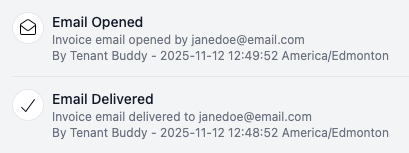
Send invoices directly to tenants via email with one click or set automatic delivery. Tenants receive professional PDF invoices they can download and save for their records.
Detailed Line Item Breakdown
Include rent, utilities, parking, pet fees, and any other charges on each invoice. Clear line-item breakdowns show tenants exactly what they're paying for and create proper audit trails for CRA reporting.
Draft & Review Before Sending
Prefer to review before sending? Generate draft invoices automatically and review them before delivery. Make adjustments for one-time charges or corrections, then send when ready.
Invoice Status Tracking
Monitor invoice status in real-time: draft, sent, viewed, paid, partially paid, or overdue. Our Tenant Management Software lets you see which tenants have paid, who owes rent, and how much is outstanding across your portfolio.
How Automated Invoicing Works
Get started in minutes with our simple, intuitive process
Configure Invoice Settings
Set your business information, invoice numbering format, payment terms, and default late fee rules. Choose whether invoices should auto-send or be saved as drafts for review.
Set Up Lease & Recurring Charges
When creating a lease, specify monthly rent amount, due date (e.g., 1st of every month), and any recurring charges like parking ($50/month) or utilities. Tenant Buddy remembers these details.
Automatic Monthly Generation
On your specified schedule, Tenant Buddy automatically generates rent invoices for all active leases. Invoices include all recurring charges, calculate late fees if applicable, and are either auto-sent or saved as drafts.
Track Invoice Status
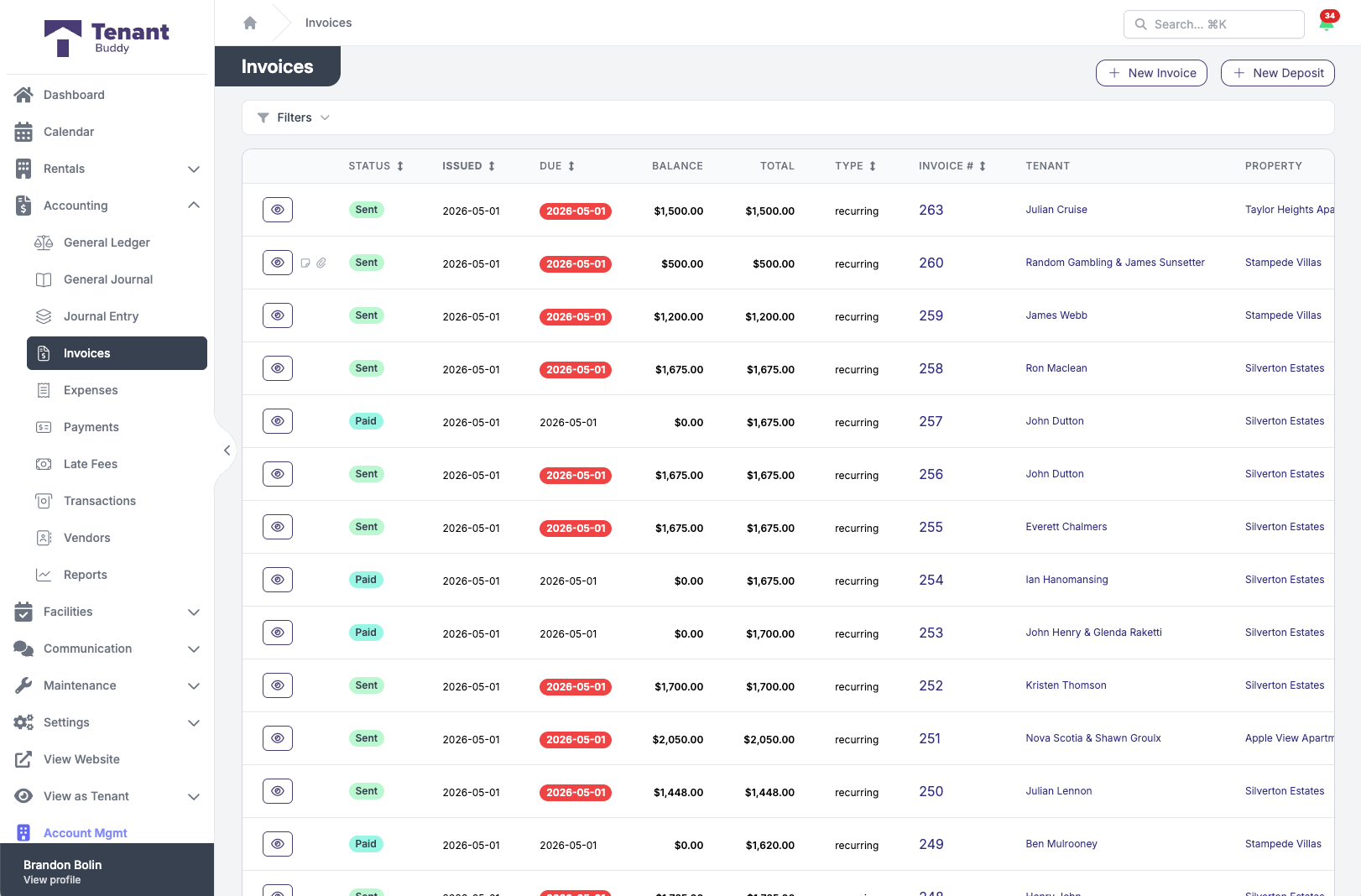
Monitor invoice status in real-time: sent, viewed, paid, partially paid, or overdue. See which tenants have paid, who owes rent, and how much is outstanding across your entire portfolio.
Every invoice across your portfolio, in one view
Status, due date, balance, and tenant at a glance. Filter by anything.
Flexible Late Fee Options
Configure late fees to match your lease agreements and provincial regulations
Flat Fee
Charge a fixed amount (e.g., $50) when rent is late. Simple and predictable for both you and your tenants.
Percentage-Based
Calculate late fees as a percentage of rent (e.g., 5%). Automatically adjusts based on rent amount.
Daily Accrual
Charge a fee for each day rent is late (e.g., $5/day). Encourages prompt payment while remaining fair.
Provincial Late Fee Regulations
Late fees must comply with provincial tenancy laws. For example, Ontario's Residential Tenancies Act limits late fees. Always check your province's regulations and configure Tenant Buddy's late fee settings accordingly.
Frequently Asked Questions
Find answers to common questions about property management software for Canadian landlords
Automated Invoicing Questions
When creating or editing a lease, specify the monthly rent amount and due date (e.g., 1st of every month). Tenant Buddy automatically generates invoices on your schedule, whether monthly, weekly, or custom intervals. You can choose to auto-send invoices via email or save them as drafts for review before sending.
Yes. You can configure late fee rules at the account level (applies to all properties) or override them for specific leases. This is useful if you have different late fee policies for different buildings, or if provincial regulations vary across your portfolio.
You can add one-time charges to any invoice before sending it. Common examples include move-in fees, utility reimbursements, maintenance charges, or key replacements. One-time charges are added to that month's invoice only and don't recur in future months.
Tenants receive invoices via email as professional PDF attachments. They can also access all current and past invoices through their tenant portal, where they can download copies for their records anytime. This eliminates constant requests for invoice copies.
Yes, you can customize your invoice template with your business logo, contact information, payment instructions, and custom notes. All invoices maintain a professional appearance while reflecting your branding and specific payment terms.
Late fees are calculated automatically based on your configured rules when rent isn't paid by the due date. You can set grace periods (e.g., 3 days) before late fees apply. Once triggered, the system adds the late fee to the tenant's outstanding balance and includes it on the next invoice or payment reminder.
No problem. You can record payments before generating invoices. The system will automatically match payments to upcoming invoices, or you can apply early payments to the tenant's account as a credit that applies when the invoice is generated.
Yes. All invoices are automatically recorded in your accounting system with proper categorization for CRA reporting. Our Tenant Management Software creates an accounts receivable entry for each invoice, and when paid, the transaction is recorded as rental income. This audit trail is essential for preparing Form T776 (Statement of Real Estate Rentals) at tax time.
Ready to Simplify Your Property Management?
Join Canadian landlords who ditched the spreadsheets
Start Your Free Trial